Join our Telegram Channel
Hello Trailblazers,
Welcome to the fifth tutorial in LWC Tutorial Series where we're building a ToDo App Project. We're focusing on the concept of Learning By Doing in this tutorial series. In this tutorial, we're going to learn how we can fetch the data from the apex controller for our ToDo List component using wire service in LWC. We're going to bind our wire service to a function in js which will receive the response. This time we'll be able to mutate the ToDoList as it won''t be directly binded with wire service. We'll also learn about RefreshApex function which will be used to refresh the browser cache.
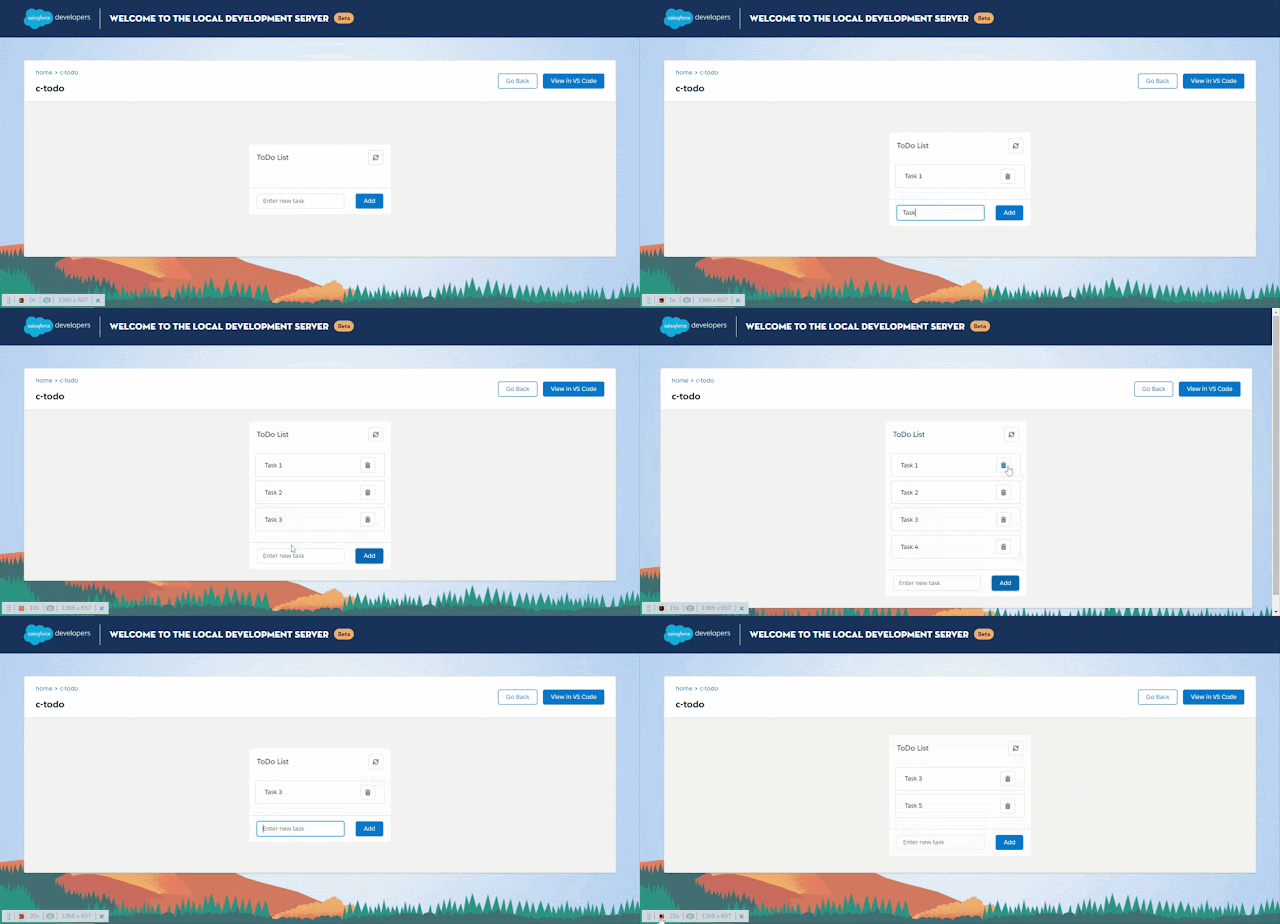
So, let's continue building the above application. This tutorial is published on SFDC Stop YouTube Channel. So, if you want to learn in detail, have a look at the tutorial video down below. Otherwise, you can scroll down to have a look at the code gist with explanation.

So, let's continue building the above application. This tutorial is published on SFDC Stop YouTube Channel. So, if you want to learn in detail, have a look at the tutorial video down below. Otherwise, you can scroll down to have a look at the code gist with explanation.
Tutorial Video
Code Gist with Explanation
I highly recommend you to have a look at the video to understand in detail. However, let's have a quick look at the code below to understand in short:-
Apex Class (ToDoListController.cls)
As you can see above, I have created two more methods insertTask and deleteTask.insertTask() is used to insert a new task with the subject which will be passed in this apex method as a parameter. This subject will be nothing but our todo task name that we've added to the todo list. OwnerId of the new task will be the id of logged in user, status is hardcoded as "Not Started" and the priority is "Normal". The task inserted is returned from the method.
deleteTask() is used to delete a task from salesforce. It accepts the record id of the task to be deleted as a parameter and delete that task. It returns true if the task is succesfully deleted. Otherwise, returns false.
JS Snippet (todo.js)
Let's have a look at the wire method first which is the second last method in the above code. It's calling the same getTasks method which is imported from the apex controller like we did in the previous tutorial, the only difference here is that, instead of binding a variable, we've binded a function with the wire method. The response object in this case (which is having data and error as properties) is not directly assigned to a variable but it's coming as a parameter named response in the getTodoTasks() method which is binded with wire service. This response is stored in the todoTasksResponse variable which we've defined in the beginning of the class. After that we've stored the data and error from the response object into data and error variables for simplifying code.If we have the data received successfully, we're re-initializing the todoTasks variable to empty array and pushing all the tasks one by one by using the foreach loop on the data array. The id of each todo task will be the (total array length + 1) (to keep it unique), the name of each todo task will be the Subject of the task received from salesforce and the recordId of each todo task will be the id of the task received from Salesforce. We're storing recordId here as well as it'll help us to delete the todoTask from salesforce in our next tutorial.
In case of an error we're displaying that in the console.
We've added a refreshTodoList() method as well which will be used to refresh the todo list from server on clicking the refresh/sync button. This method is calling the refreshApex() imported from @salesforce/apex which is used to refresh the response of wire method stored in browser cache. We're passing todoTasksResponse in this method which is nothing but the response received in our wire method.
I've also reset the addTaskToList() from Tutorial 3 as discussed in the previous tutorial that we don't be retaining/using any code of Tutorial 4 in further tutorials.
I've also reset the addTaskToList() from Tutorial 3 as discussed in the previous tutorial that we don't be retaining/using any code of Tutorial 4 in further tutorials.
Note:- Try to add a new task to your todo list. You'll notice that this time you'll be able to mutate/update the todo list as we haven't directly binded the todoTasks array to wire service. Instead we've received the tasks list (response) in the function as a parameter and updated the todoTasks array manually.
HTML Snippet (todo.html)
We've reset the HTML code also from Tutorial 3 and have done some important changes. If you see the refresh button (lightning-button-icon) in the beginning of lightning:card, you'll notice that it's has an onclick attribute with the value as:- refreshTodoList as it'll call this method from js whenever the button is clicked to refresh the todo list. I have also updated the alternative-text and title from Sync to Refresh.Rest all the code is same as it was in Tutorial 3. We've done the main effort in js to link wire service with a function and we've also used refreshapex which will be called when the refresh button is clicked.
Give it a try and let me know your observations in the comments down below.
Important Observation:- If you see carefully while testing, you'll notice that the refreshApex() is only refreshing the todo list, when there is a change on the server side (Try inserting a new task record directly in salesforce and click on the refresh button 2-3 times in your todo list to check how many times the wire service is refreshed). Basically, the refreshApex() only update the browser cache when there is a change on the server side otherwise it won't do anything. So, your apex calls are preserved. Thanks to LWC...!!
That's all for this tutorial. I hope you liked it. All the code used in this tutorial is available on GitHub and you can have a look at that by clicking here. Make sure to have a look at the video if you want to learn in detail and let me know your feedback in the comments down below.
Happy Trailblazing..!!


 Posts
Posts